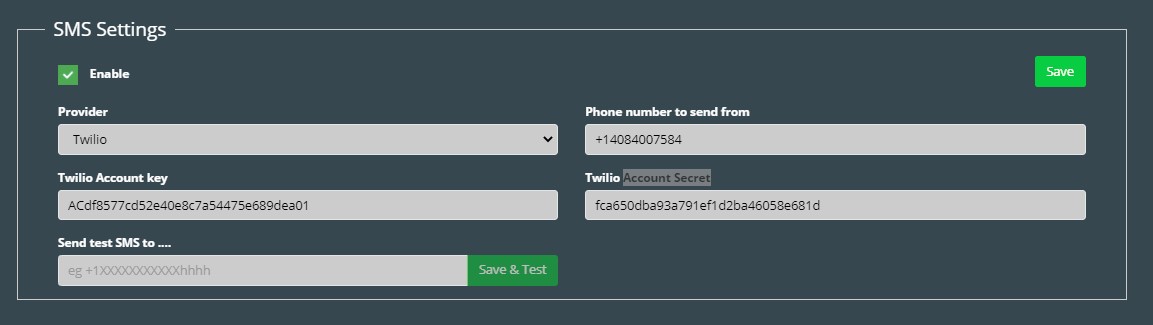
SMS Setup
- To enable SMS notifications in the system, first an SMS provider must be added. If no SMS provider is added, users will not receive notifications about upcoming bookings, cancellations, or check-in reminders.
- Navigate to the Advanced Settings page, then to Configuration -> Integrations -> Communications. To enable SMS settings, check the enable check box.
- Select the provider from the dropdown menu.
- Different providers will have different required fields. Get the information from your SMS provider and copy it into the fields in the system.
- Enter the sender’s phone number in the “Phone number to send from” text box.
- Enter your phone number into the “Send test SMS to ….” Field, and click “Save & Test”. You should receive a SMS from the system. If not, check to make sure the values entered in steps 2 – 4 are correct.